 By Hamza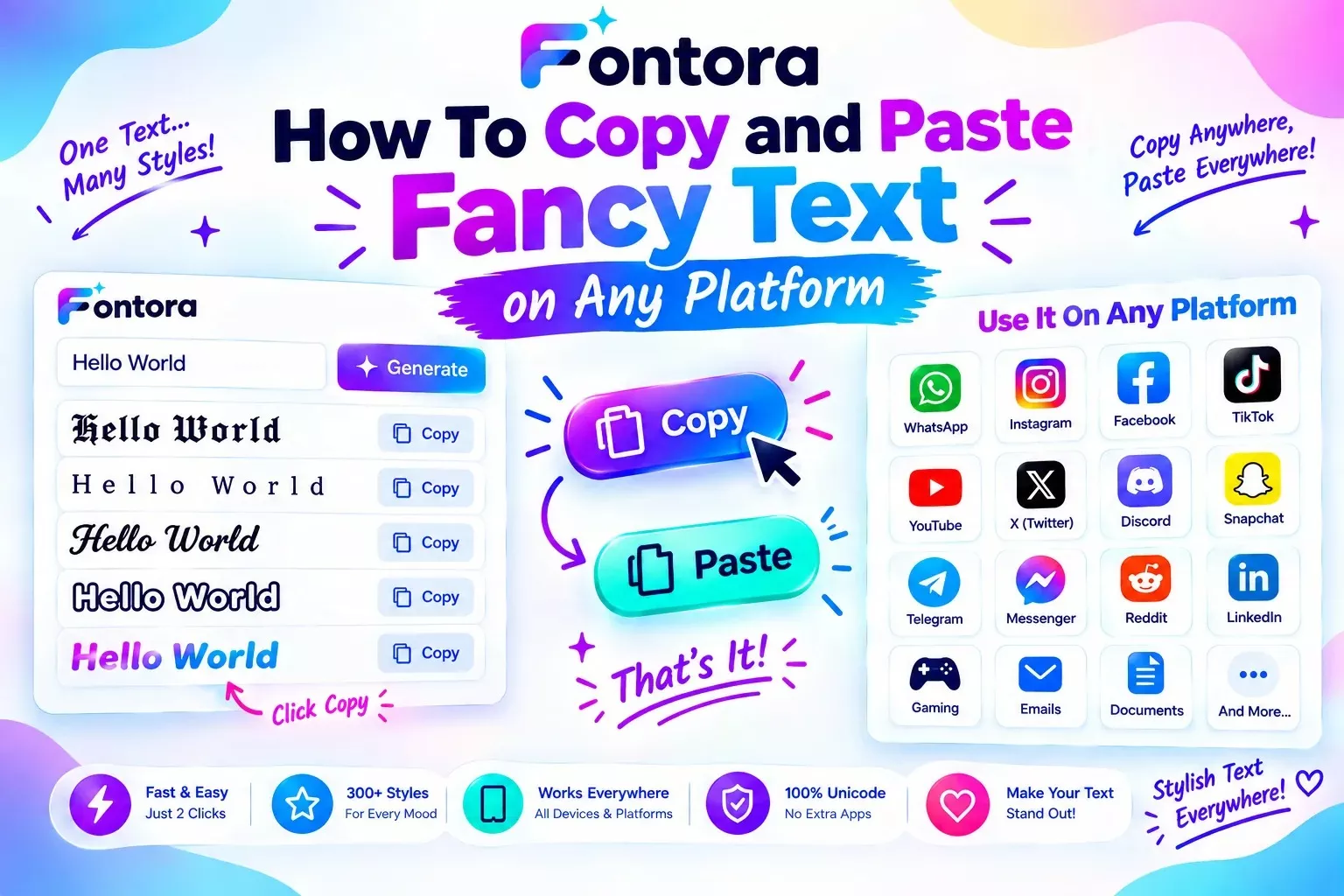
To copy and paste fancy text, enter your words into a fancy text generator, choose your preferred style, copy the generated Unicode text, and paste it into a supported platform. Since fancy text uses Unicode characters instead of font files, it works across many websites and social media applications.
How To Copy and Paste Fancy Text on Any Platform
Introduction
Using fancy text copy paste is a simple way to make your online communication more creative and personalised. Whether you want a stylish Instagram bio, a unique gaming username, or an attractive message, fancy text allows you to transform normal words into eye-catching styles within seconds.
Unlike traditional fonts, fancy text does not require downloading or installing anything. It uses Unicode characters that can be copied and shared across many digital platforms, making stylish text easy to use for beginners and creators.
In this guide, you will learn how to generate, copy, and paste fancy text on popular platforms like Instagram, Discord, TikTok, WhatsApp, and gaming communities.
What Is a Fancy Text Copy Paste?
Fancy text copy paste refers to the process of creating stylish text, copying the generated characters, and using them on different online platforms without installing any additional software. It allows users to transform ordinary words into decorative text styles that can be shared easily.
Unlike traditional fonts, fancy text does not change the font settings of your device. Instead, it uses Unicode characters that look different from regular letters while still being recognized as text by computers and websites.
For example:
Normal text:
Welcome
Fancy text:
𝓦𝓮𝓵𝓬𝓸𝓶𝓮
𝐖𝐞𝐥𝐜𝐨𝐦𝐞
𝕎𝕖𝕝𝕔𝕠𝕞𝕖
These styles can be copied and pasted into many platforms where regular text is supported.
The popularity of fancy text copy paste comes from its convenience. Users do not need graphic design skills, special applications, or downloaded font files. They can simply create a style, copy it, and use it wherever they want.
Common uses include:
Social media profiles: Creating attractive Instagram bios, TikTok descriptions, and profile names.
Gaming usernames: Making player names more unique and recognisable.
Messaging: Adding creative styles to WhatsApp messages and status updates.
Online communities: Personalising usernames and community profiles.
Creative content: Highlighting quotes, announcements, or special posts.
The main reason this process works is Unicode compatibility. Modern platforms understand thousands of Unicode characters, which allows users to share different text styles across websites and applications. To understand the technology behind these characters, learn more about Unicode text and how fancy text transformation works.
However, fancy text should be used carefully. Some extremely decorative characters may affect readability or may not display correctly on every device. Choosing simple and clear styles usually provides the best experience.
Fancy text copy paste is therefore a quick and practical way to personalize digital communication while keeping the convenience of normal text.
How To Generate and Copy Fancy Text (Step-by-Step Guide)
Creating and using fancy text is a simple process that does not require technical skills or design experience. With a Fancy Text Generator, anyone can convert normal words into creative Unicode-based styles and use them across different online platforms. Follow these simple steps to create your own stylish text:
Step 1: Enter Your Text
Start by typing the word, name, or sentence you want to transform into the fancy text generator.
For example:
Normal text:
Creative World
The generator uses your original text as the starting point and prepares different stylish variations.
You can create fancy text for:
Names
Usernames
Quotes
Captions
Messages
Profile descriptions
Step 2: Choose Your Favourite Text Style
After entering your text, the generator creates multiple versions using different Unicode character styles.
Common styles include:
Bold text for stronger visual impact
Cursive text for an elegant appearance
Gothic text for a classic or dramatic look
Bubble text for a fun and creative style
Small text for compact designs
Each style creates a different visual effect, and understanding different font styles can help you choose the right look for your content. From decorative designs to classic text appearances, learning about different styles makes it easier to select the right option for every platform.
Example:
Original:
Gaming Zone
Generated styles:
𝓖𝓪𝓶𝓲𝓷𝓰 𝓩𝓸𝓷𝓮
𝐆𝐚𝐦𝐢𝐧𝐠 𝐙𝐨𝐧𝐞
𝔊𝔞𝔪𝔦𝔫𝔤 ℨ𝔬𝔫𝔢
Step 3: Copy the Generated Text
Once you find a style you like, select the generated text and copy it.
The copied text contains Unicode characters, which means it works similarly to regular text. You do not need to download a font or install any application.
Step 4: Paste It on Your Preferred Platform
After copying the text, paste it wherever you want to use it.
Common places include:
Instagram bio
TikTok profile
Discord username
WhatsApp status
Gaming profile
Online communities
The text will appear in the selected style as long as the platform supports those Unicode characters.
Step 5: Check Readability Before Sharing
Before publishing your fancy text, make sure it is easy for others to read. Some highly decorative styles may look attractive but can become difficult to understand.
For the best results:
Choose simple styles for important information
Avoid using too many symbols
Test the text on your device
Keep usernames easy to remember
By following these steps, anyone can create stylish text within seconds and use it across different online platforms without any complicated setup.
How To Paste Fancy Text on Different Platforms
One of the biggest advantages of fancy text is that it can be used across many online platforms without installing special fonts. Since most fancy text styles are created using Unicode characters, users can copy them from a generator and paste them directly into supported applications.
However, each platform has different areas where fancy text works best. Below are the most common ways to use stylish text online.
How To Use Fancy Text on Instagram
Instagram users commonly use fancy text to make their profiles more attractive and personalised. Many creators use Instagram fonts to make their bios, usernames, and captions more visually appealing. It can be added to different areas of an Instagram account.
You can use fancy text for:
Instagram bio
Profile name
Captions
Story text
Comments
For example:
Normal bio:
Digital Creator
Fancy style:
✨ 𝓓𝓲𝓰𝓲𝓽𝓪𝓵 𝓒𝓻𝓮𝓪𝓽𝓸𝓻 ✨
To add it:
Generate your preferred text style.
Copy the Unicode-based text.
Open Instagram profile settings.
Paste the text into your bio or name section.
Save changes.
Simple and readable styles usually work best because visitors should easily understand your profile information.
How To Use Fancy Text on Discord
Discord communities often use fancy text for usernames, server names, and messages.
If you want more ideas for creating unique Discord profiles, explore our guide about Discord fonts. Gamers and online communities use stylish characters to create unique identities.
Common uses include:
Discord usernames
Server names
Channel names
Profile descriptions
Messages
To use fancy text on Discord:
Create your preferred style.
Copy the generated text.
Open Discord settings or chat.
Paste the text where you want to use it.
Some special Unicode characters may not display correctly depending on device support, so testing your username before saving is recommended.
How To Use Fancy Text on TikTok
TikTok creators use fancy text to make their profiles and content descriptions more noticeable. Stylish text can help highlight important information and create a unique creator identity.
Common uses:
TikTok bio
Username ideas
Video descriptions
Captions
Steps:
Generate your stylish text.
Copy the result.
Edit your TikTok profile.
Paste the text into your desired section.
Using simple styles can improve readability and make your profile look more professional.
How To Use Fancy Text on WhatsApp
WhatsApp users can add fancy text to conversations, status updates, and group names.
Popular uses include:
WhatsApp status
Personal messages
Group descriptions
Special announcements
The process is simple:
Create fancy text using a generator.
Copy the selected style.
Paste it into WhatsApp.
Send or publish it.
Because WhatsApp supports many Unicode characters, most simple fancy text styles work smoothly.
How To Use Fancy Text for Gaming Profiles
Gaming communities frequently use fancy text to create memorable usernames and player identities.
Common uses:
Gamer tags
Clan names
Player profiles
Community names
Gamers often choose styles such as:
Gothic characters
Bold text
Decorative symbols
Small text styles
However, some games have username restrictions. Always check the platform rules before using special characters.
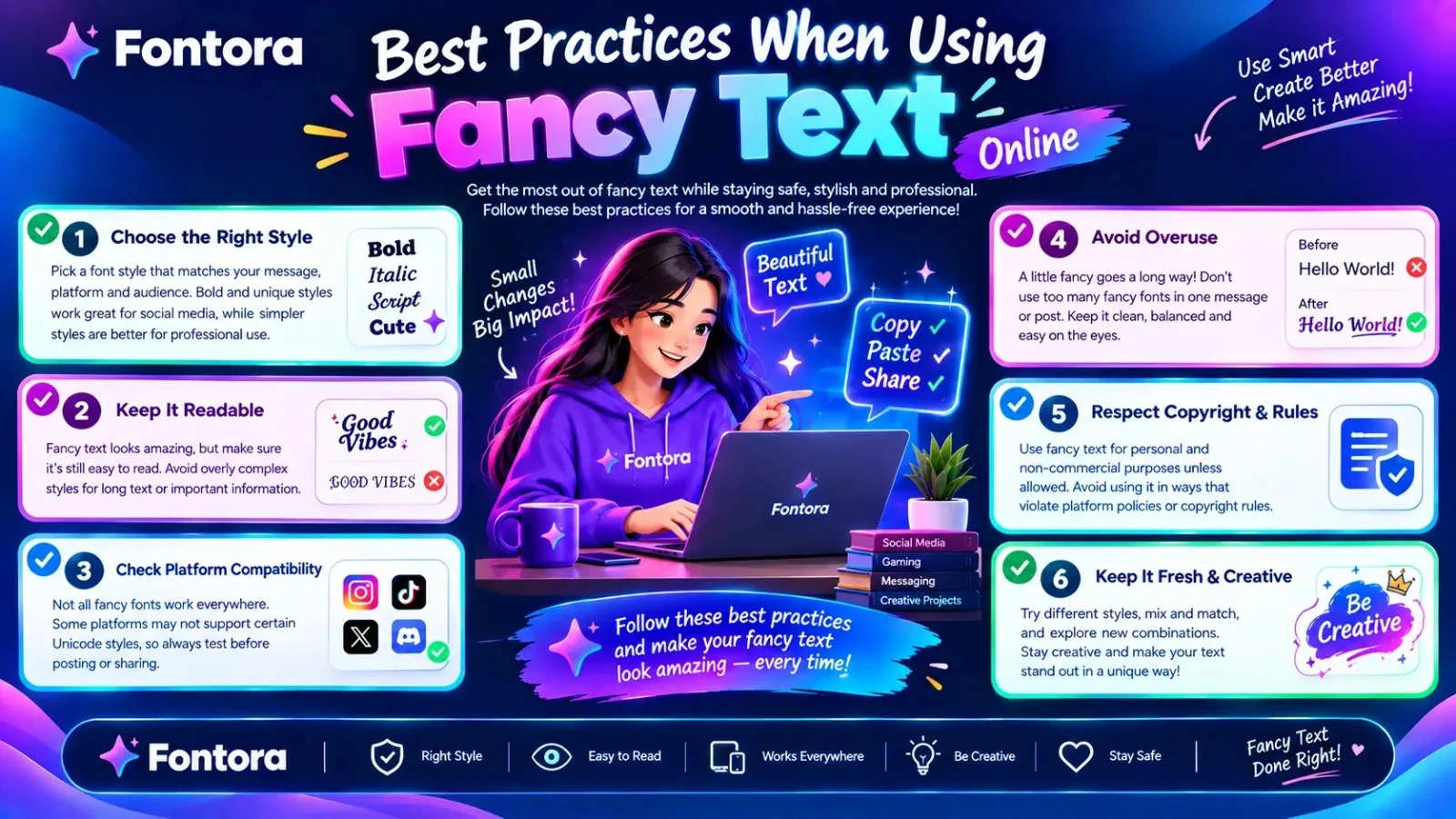
Best Practices When Using Fancy Text Online
To get the best results:
Choose styles that are easy to read.
Avoid adding too many symbols.
Check compatibility before publishing.
Keep important information simple.
Use decorative styles where they improve appearance.
Fancy text is a powerful way to add creativity to online communication. Whether you are customising a social media profile, creating a gaming identity, or sharing a message, Unicode-based text provides a quick and accessible solution.
Why Fancy Text Sometimes Does Not Work?
Although fancy text works on many websites and applications, some users may experience problems when copying or displaying certain styles. These issues usually happen because fancy text depends on Unicode character support, and not every device, browser, or platform handles all characters in the same way.
Understanding these limitations helps you choose better text styles and avoid display problems.
Unsupported Unicode Characters
The most common reason fancy text does not work is that some platforms do not support specific Unicode characters.
When a device or application cannot recognize a character, it may display:
Empty boxes
Question marks
Missing symbols
Different character designs
For example, a decorative character that appears correctly on a modern smartphone may look different on an older device.
Platform Restrictions
Some platforms limit the use of special characters in certain areas. For example, a website or gaming platform may restrict unusual symbols in:
Usernames
Account names
Profile sections
Search fields
These restrictions are usually created to maintain security, readability, and a better user experience.
Fancy Text Can Affect Readability
Some highly decorative styles may look attractive but become difficult to read. This is especially important when creating usernames, bios, or messages that other people need to understand quickly.
For better results:
Choose simple fancy text styles
Avoid excessive symbols
Keep important information readable
Use decorative characters only where they improve appearance
A stylish design should enhance your message, not make it harder to understand.
Different Devices Display Text Differently
Fancy text appearance can change depending on:
Operating system
Browser
Application
Available character support
A style that looks perfect on one device may appear slightly different on another. This is normal because Unicode characters are displayed according to the support available on each system.
How To Fix Fancy Text Problems
If your fancy text is not working properly, try these solutions:
Choose a simpler Unicode style
Try another text variation
Update your device or application
Test the text before publishing
Avoid rare decorative symbols
Most users can avoid problems by selecting commonly supported characters instead of extremely complex styles.
Fancy text remains a useful way to personalize digital content, but choosing compatible and readable styles ensures your message looks good across different platforms. The best fancy text is not only creative but also easy for everyone to view and understand.
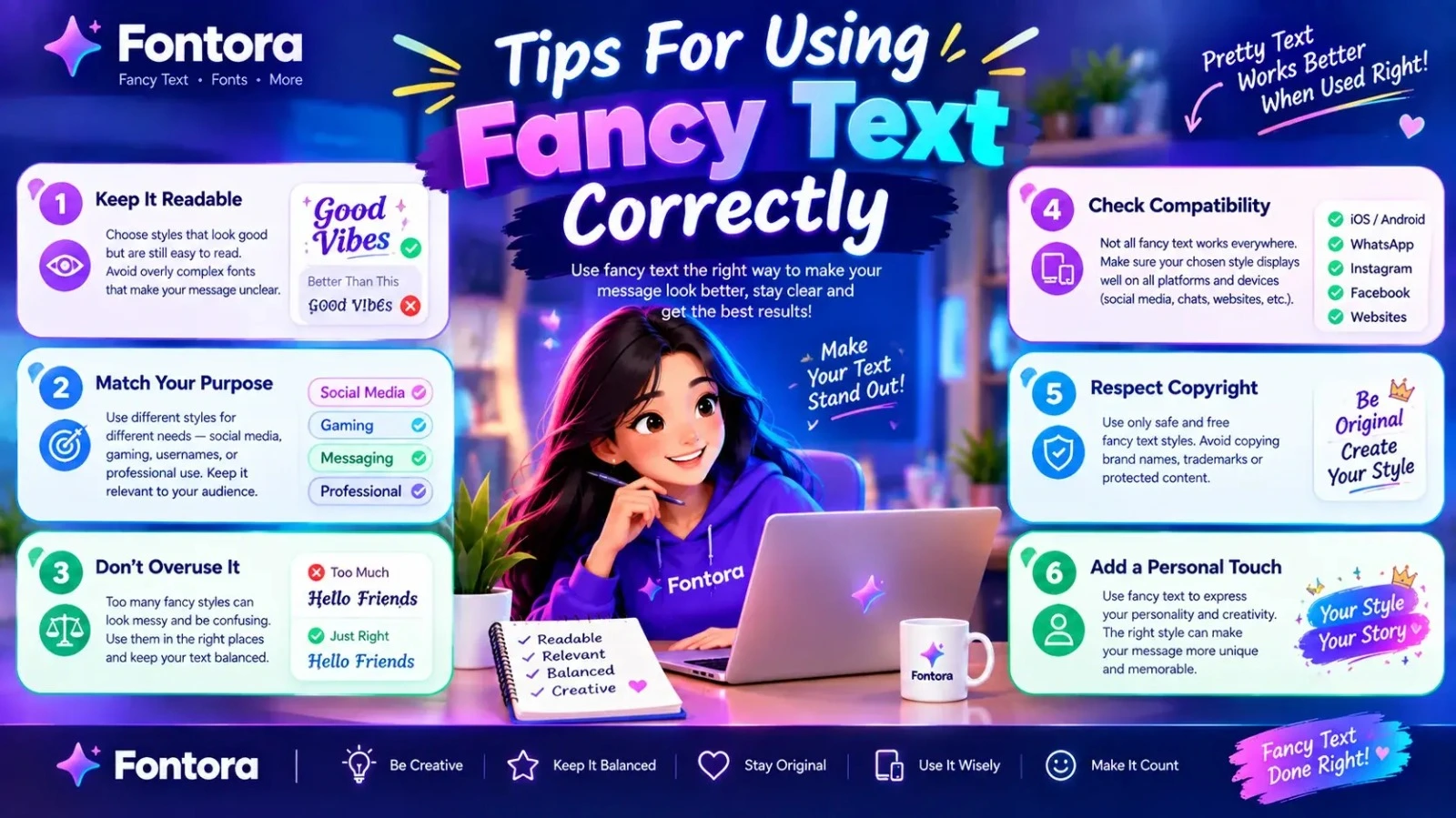
Tips for Using Fancy Text Correctly
Fancy text is a great way to make your online content more creative and personalized, but using it correctly is important. The best results come from choosing styles that improve your message instead of making it difficult to read.
Whether you are creating a social media bio, gaming username, or online message, these tips can help you use fancy text effectively.
Choose Readable Styles
Not every fancy text style provides the same user experience. Some decorative characters may look attractive but can be difficult for people to understand.
For better readability:
Choose simple and clean styles
Avoid overly complicated symbols
Make sure your text can be understood quickly
Test your text before sharing
A good fancy text style should add personality while keeping the original message clear.
Use Fancy Text for The Right Purpose
Fancy text works best for creative and personal online uses. It is ideal for:
Social media profiles
Usernames
Captions
Messages
Gaming identities
However, professional projects such as logos, websites, and brand materials usually require real fonts because they offer better control and consistency.
Avoid Excessive Decorative Symbols
Adding too many symbols can make your text look crowded and reduce readability. A balanced style usually creates a better impression.
For example:
Better:
✨ 𝓒𝓻𝓮𝓪𝓽𝓲𝓿𝓮 𝓓𝓮𝓼𝓲𝓰𝓷 ✨
Harder to read:
꧁༺✧༻꧂𝓒𝓻𝓮𝓪𝓽𝓲𝓿𝓮꧁༺✧༻꧂
Simple designs are often more effective because people can understand them instantly.
Check Platform Compatibility
Before using fancy text, check whether the platform supports the selected characters. Some websites and applications may limit certain symbols or display them differently.
This is especially important for:
Gaming usernames
Professional profiles
Public pages
Testing your text first helps prevent unexpected display issues.
Keep Important Information Simple
If your text contains important details, make sure they remain easy to read. Fancy styles are best used for decoration, while essential information should stay clear.
For example:
Good:
John | Digital Creator
Creative version:
✨ 𝓙𝓸𝓱𝓷 | Digital Creator ✨
The name gets personality while the important information remains understandable.
Balance Creativity and Clarity
The best fancy text combines style with usability. A creative design should attract attention while still communicating the intended message.
By choosing suitable styles, avoiding unnecessary symbols, and considering your audience, you can create fancy text that looks professional and works effectively across different platforms.
Conclusion
Fancy text copy paste is a simple and creative way to personalize your online communication without downloading fonts or using complicated design tools. By using Unicode characters, users can quickly transform ordinary words into stylish text and share them across platforms like Instagram, Discord, TikTok, WhatsApp, and gaming communities.
Whether you want a unique username, an attractive social media bio, or a more engaging message, fancy text provides an easy solution for adding personality to your digital presence. However, choosing readable styles and checking platform compatibility is important to ensure your text displays correctly everywhere.
Frequently Asked Questions About Fancy Text Copy Paste
How do I copy and paste fancy text?
To copy and paste fancy text, enter your words into a fancy text generator, choose your preferred style, copy the generated Unicode characters, and paste them into a supported platform such as Instagram, Discord, TikTok, or WhatsApp.
Why does fancy text copy paste work without installing fonts?
Fancy text works without installing fonts because it uses Unicode characters instead of traditional font files. These characters are already supported by many devices, browsers, and applications, allowing users to copy and share stylish text easily.
Can I use fancy text on Instagram?
Yes, you can use fancy text on Instagram for bios, captions, usernames, and profile descriptions. Most styles work because Instagram supports many Unicode characters that can be copied and pasted directly.
Why is my fancy text not showing correctly?
Fancy text may not display correctly when a device, browser, or platform does not support a specific Unicode character. Some symbols may appear as empty boxes, missing characters, or different designs.
Does fancy text work on mobile devices?
Yes, fancy text works on most modern smartphones because mobile operating systems support Unicode characters. However, the appearance of some decorative characters may vary depending on the device and application.
Can I use fancy text for Discord usernames?
Yes, many users use fancy text for Discord usernames, server names, and messages. However, Discord and other platforms may have certain restrictions on specific characters, so it is recommended to test your text before using it.
Are fancy fonts free to copy and use?
Most fancy text styles generated online are free to copy and use for personal purposes. Since they are usually Unicode characters rather than downloadable font files, users can quickly generate and share them across supported platforms.
Do fancy text generators create real fonts?
No, fancy text generators do not create real font files. They transform regular letters into Unicode-based characters that visually resemble different font styles but work as normal text.
Can I use fancy text for gaming usernames?
Yes, fancy text is commonly used for gaming usernames, player names, clan names, and online profiles. Gamers often use bold, gothic, and decorative styles to create unique identities.
Is fancy text safe to use online?
Yes, fancy text is generally safe because it only changes the appearance of characters and does not install software or modify your device. Users should still choose readable styles and avoid excessive symbols for better usability.